Get me to the article
We’re making it easier to use TeamViewer’s AI capabilities and give you more control during remote sessions.
What’s new
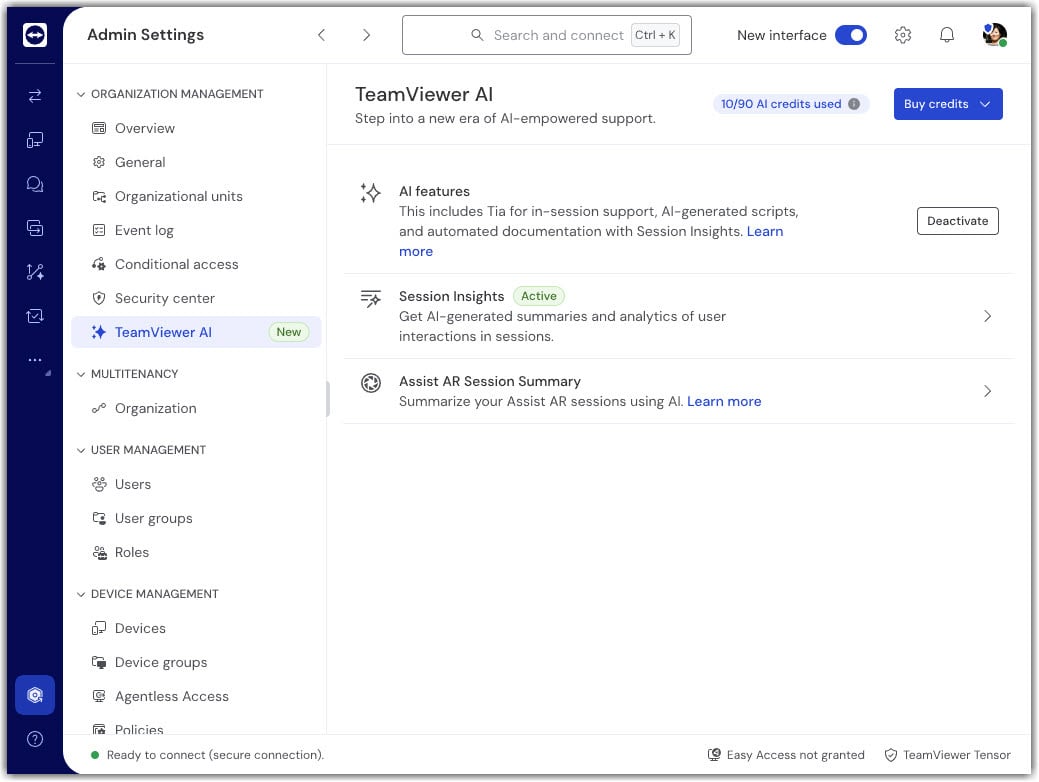
- AI features are enabled by default for your company. You can turn them off anytime in Admin settings → TeamViewer AI.
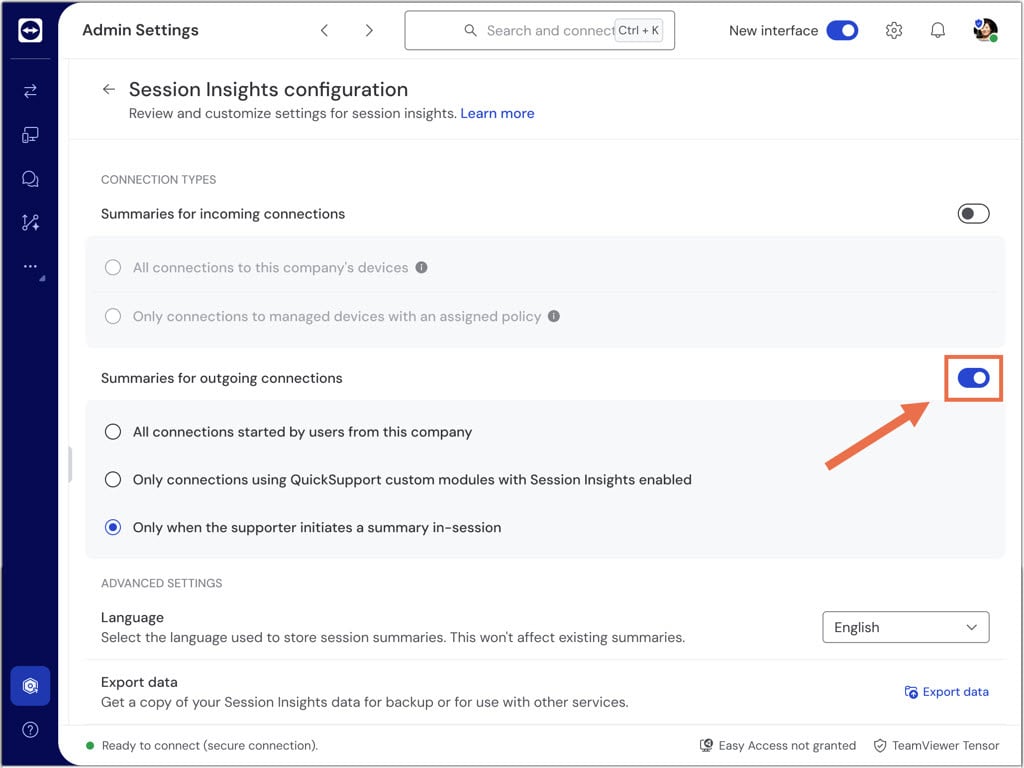
- In Session Insights, the default setting for outgoing connections is set to Only when the supporter initiates a summary in-session, meaning the session summary won’t start automatically, but has to be started by the supporter.
- When AI features are enabled, the following AI-powered features are available with no further manual activation:
- Session Insights (session summaries)
- Tia (TeamViewer Intelligent Agent)
- Script Writer
- Session Insights: in‑session controls
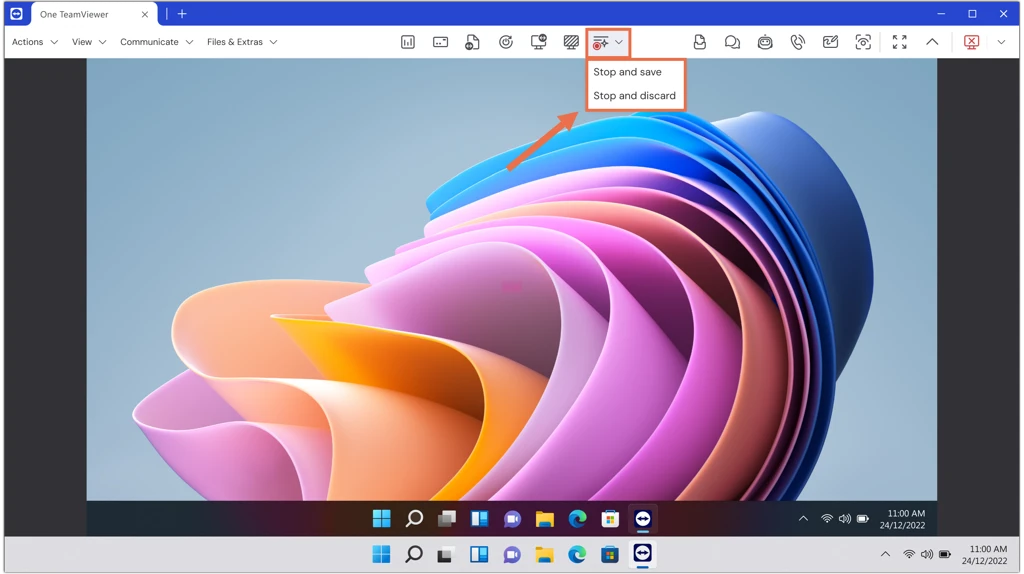
- Supporter: start session summary generation, then stop with Stop and save or Stop and discard from the quick actions buttons in the in‑session toolbar.
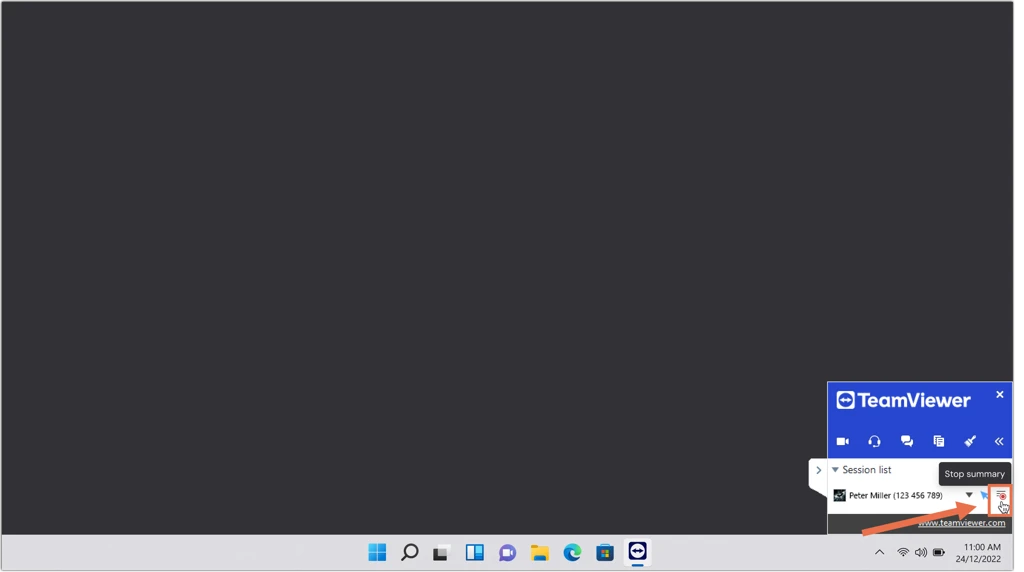
- End user: stop the ongoing summary via the TeamViewer panel (Stop and discard).
Learn more about TeamViewer AI in our TeamViewer AI security stance.
War dieser Artikel hilfreich?
Das ist großartig!
Vielen Dank für das Feedback
Leider konnten wir nicht helfen
Vielen Dank für das Feedback
Feedback gesendet
Wir wissen Ihre Bemühungen zu schätzen und werden versuchen, den Artikel zu korrigieren